Hosts
How to add a golf cart to your rental fleet
By Cruise & Scoot · October 29, 2026 · 4 min read
The short answer
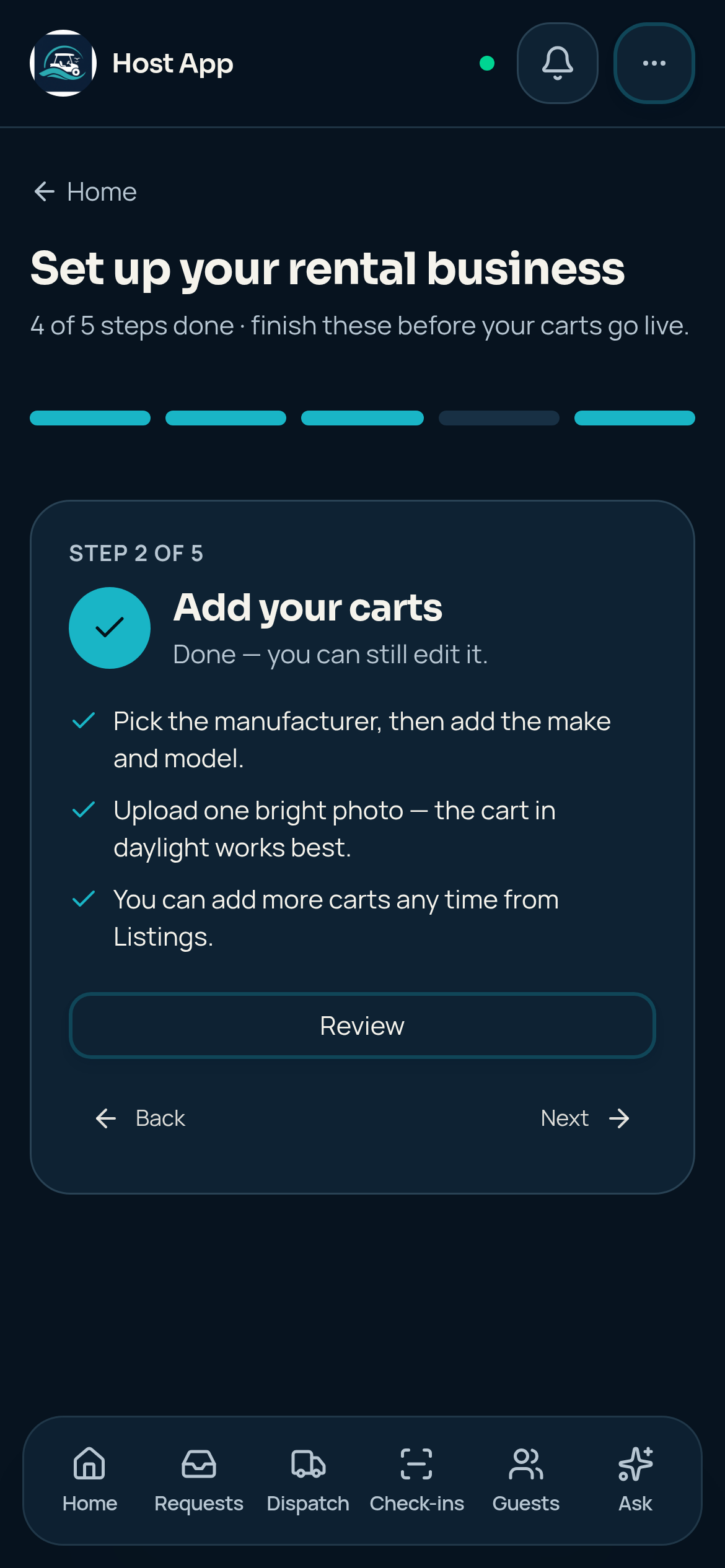
From Home, open Start guided setup, select Add your carts and open the cart editor. Complete Basics and the remaining vehicle, photo, pricing and availability steps, then review the listing before creating or publishing it.
1. Open the cart editor
In guided setup, select Add your carts. Completed steps show Review instead of Add a cart. You can also manage carts from Listings in the full dashboard. Check which company you are editing before adding inventory.
2. Complete Basics
On Add a vehicle to your fleet, enter the Listing name, optional Tagline, City and state, and Description. Use a name that helps your team distinguish this cart from similar vehicles. Describe the actual cart and pickup area rather than promising features or road access you have not checked. Choose Continue to move through the editor.
3. Describe the actual vehicle
- Check manufacturer, make and model against the vehicle.
- Enter the real seat count and only the features this cart has.
- Verify local operating requirements before describing it as street-legal.
- Keep separate vehicles distinguishable so Dispatch can assign the right one.
4. Add clear photos and review the rate
Upload clear photos of this vehicle and choose a cover that shows the cart well. Review the standard rate and any available delivery settings in the editor. Check blocked dates and leave time for cleaning, charging and inspection between rentals. Photo uploads and saved listing changes need an internet connection.
5. Review before publishing
Read the final summary before creating the listing. Creating a draft is not the same as publishing it. Complete the listing’s remaining checklist, inspect its storefront appearance and confirm its saved status before sharing it with guests. Return to Listings to correct details later.
References and product details
Written by the Cruise & Scoot team using our published product workflows. Product details checked October 29, 2026.